
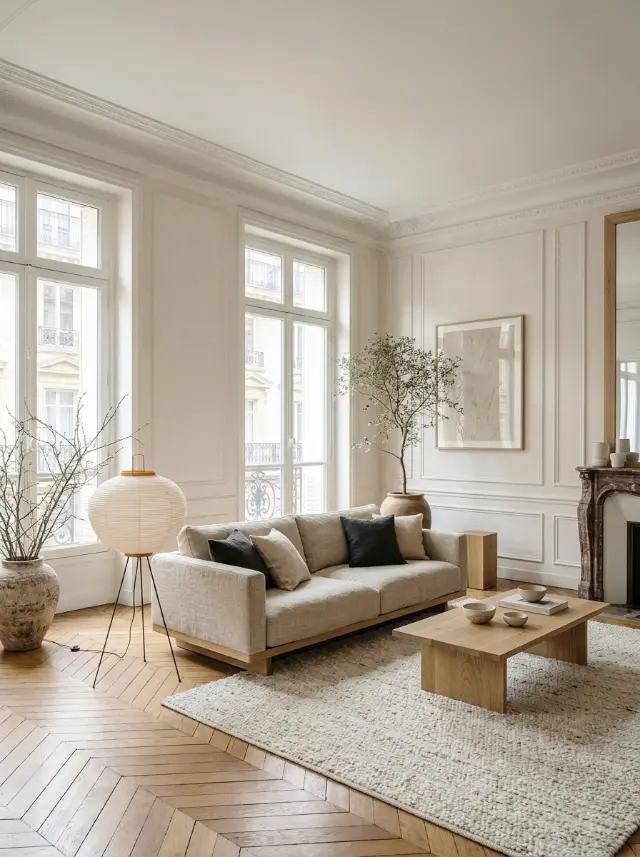
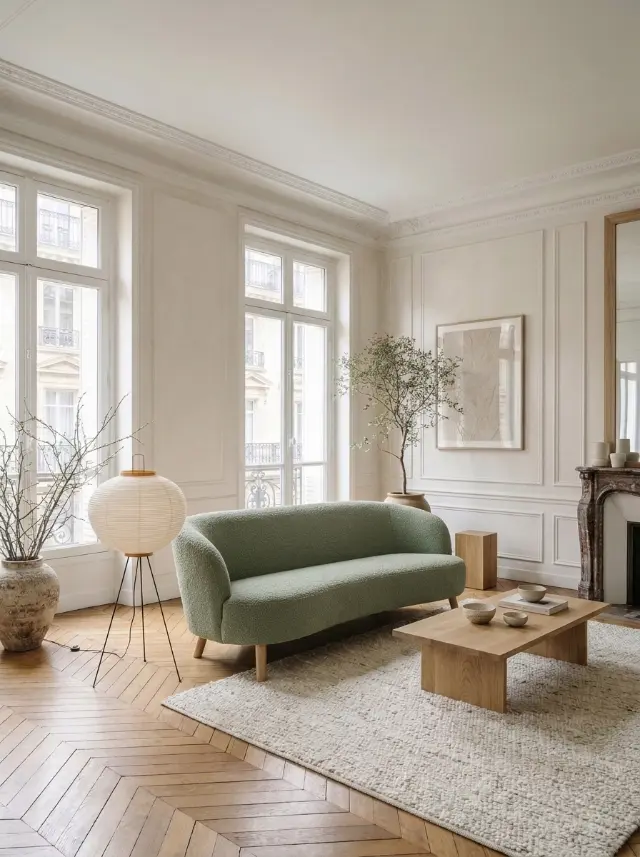
No more purchases that don’t fit your room
A piece of furniture can look amazing in the store and not work at home: too big, wrong color, clashing style. Try an object shows you the piece in your real room before you pay for it. You take a photo of your room, then of the furniture, and the AI blends it in with the light and shadows of your photo.
The rest of the room stays the same: only the object is added or replaced.
Add or replace
There are two modes. Add places the new object where you tap, for example a lamp next to the sofa. Replace removes an existing piece and puts the new one in its place, for example your old sofa swapped for the one from the store.
Redeko automatically detects the type of object, sofa, armchair, bed, table, lamp, rug or artwork, to fit it at the right size.
From the store or from a website
You can photograph the piece in the store, or use an image from a retailer’s website. A photo on a plain background, showing the whole piece, gives the best results.
How it works
- Take a photo of your room.
- Add a photo of the furniture, taken in store or found online.
- Tap where to place it, or the piece you want to replace.